Subgroups bring new possibilities
The main advantages of subgroups can be simply summarized in a few points:.
- Multiple subgroups can be created;
- Custom subgroup names;
- Color differentiation;
- Participation in events by subgroups.
Event invitations or filtering by subgroups
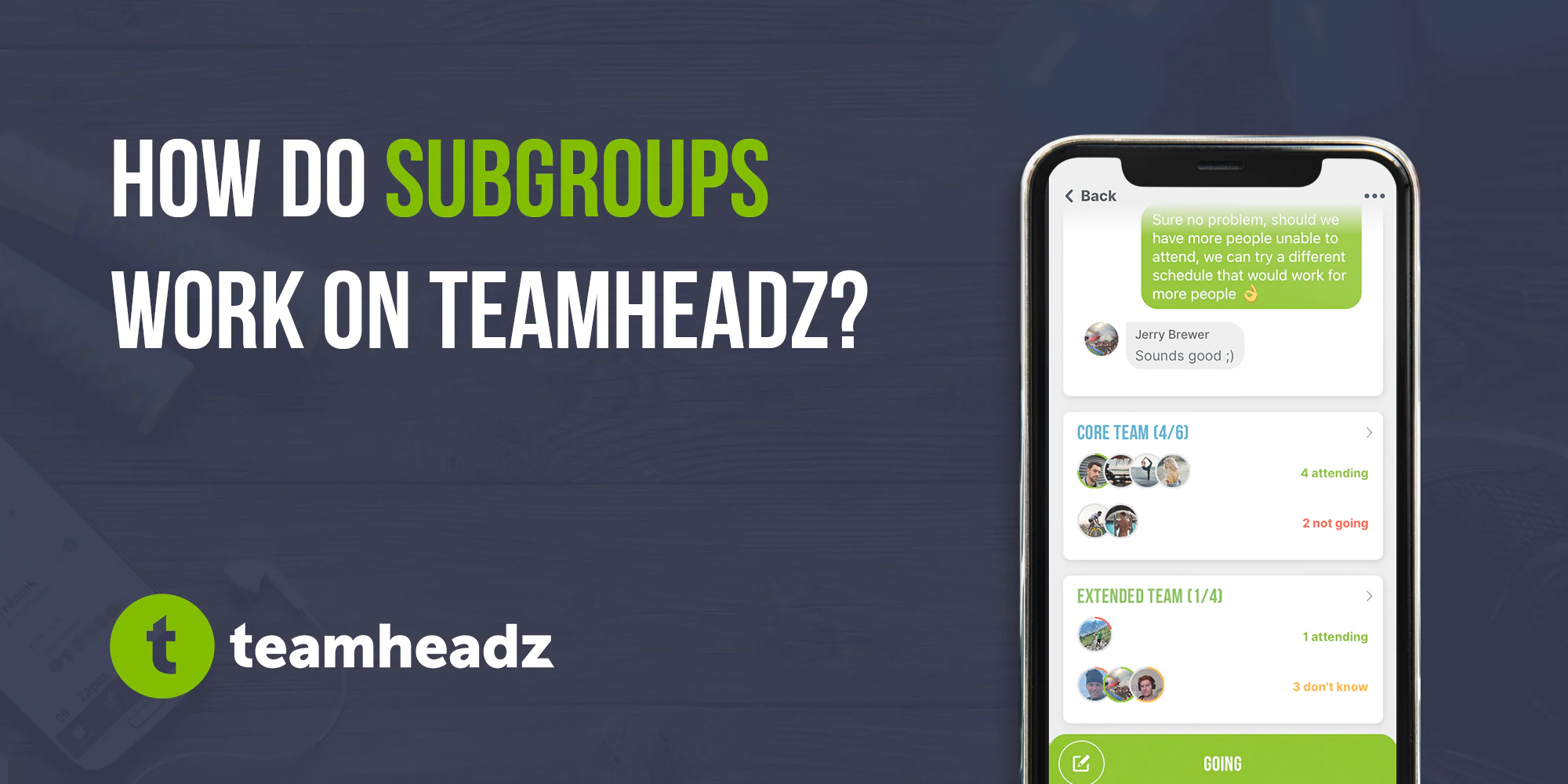
When inviting to an event, mark or, conversely, exclude the entire subgroup from the invitation with one click. Also in participation within the event, subgroups are displayed separately and have their own participation statistics - you can see, for example, how many goalkeepers and how many forwards.
The only downside is that one member can only be in 1 subgroup. But the reason is simple - subgroups will be able to set a separate limit on the number of participants in the future, and if someone could be in several subgroups, this system would begin to swell in complexity beyond the current possibilities of the application.
How to create subgroups?
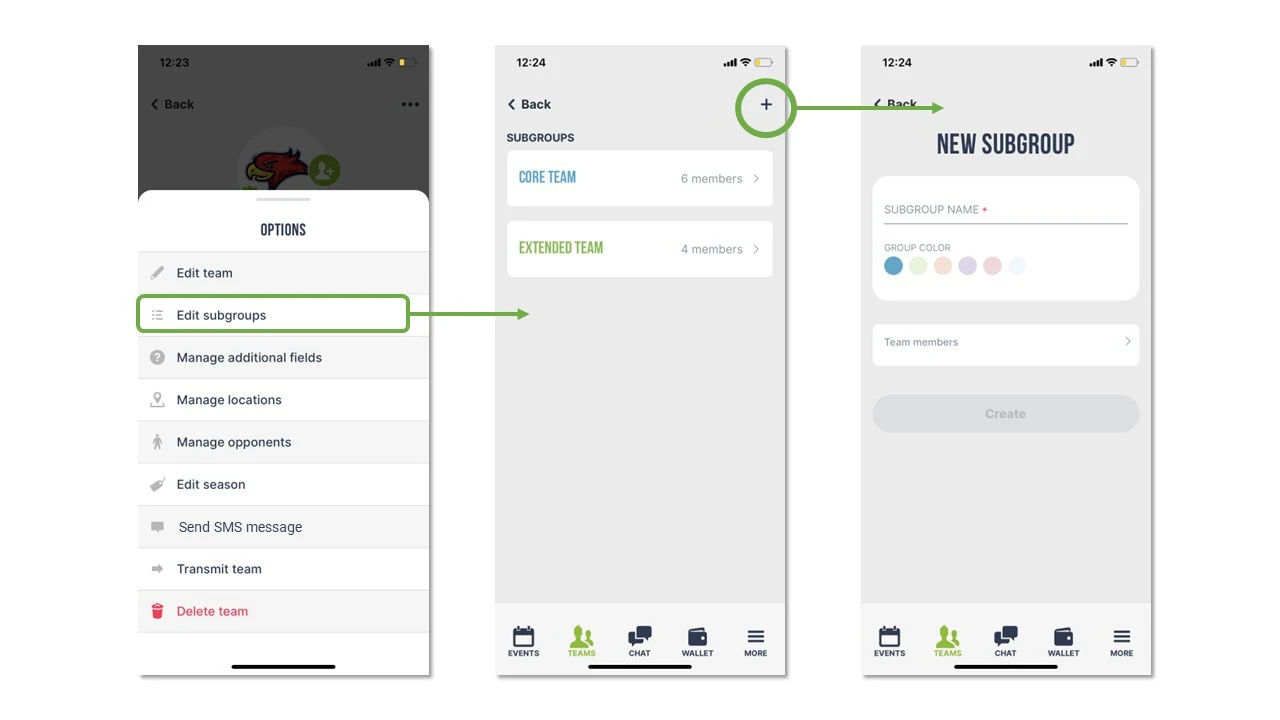
It's very easy - go to your team (you must be an owner or admin) and click on the 3 dots on the top right. Select Manage subgroups and you're there. Now you can create a subgroup, name it, assign it a color and members.